Apple AirTag (2nd Generation) Review: Same-same, but different!

Feels the same to me.
After spending a few days with the AirTag 2nd generation, one major thing stands out to me: iteration beats innovation. At least, for this class of product. For example, if Apple had fully revamped the AirTag 2nd generation and given it a whole new design and look, just to give the brand a new identity, it would feel rushed and confusing.
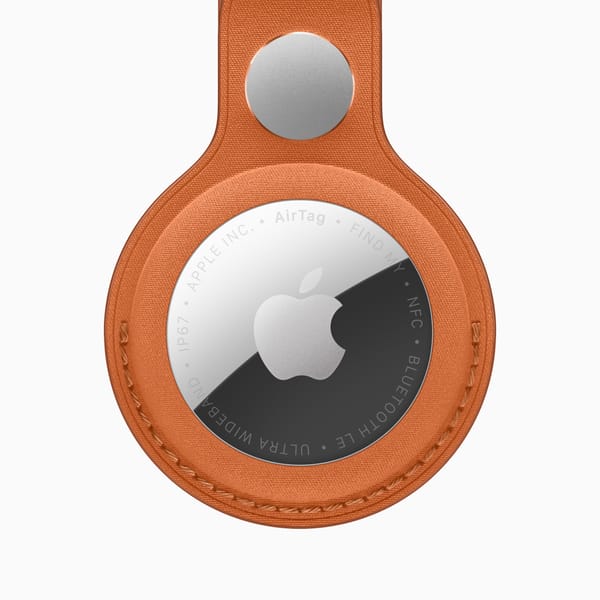
Thankfully, they didn't and all of the same cases and accessories work the same. It still has the same great features as before, enhanced now, through new chips and capabilities, but also the odd quirks. Namely, the AirTag still does not have a built in way to attach it to something. So, for something like my glasses, which is what I primarily have been using it for, the best way to mount it to the case is to just throw it in there and hope for the best (or use the weak magnets from the speaker to attach to the glasses case, unintentionally). This is fine for me, honestly, but it is annoying for some people who don't want a loose chip flying around in their stuff. Ironically, because of its size, finding it within a bag is difficult.
Part of my testing included finding something like a glasses case somewhere around a house. While it was extremely easy, using the built in second-generation Ultra Wideband Chip on both the AirTag and my iPhone 16 Pro, to find the general location of an item, because of the oddly non-directional sound, it was hard to find the actual object within a general area of a room (especially if that item happened to blend in with the objects around it).
This is a non-issue some of the time, but that other chunk of the time, it makes it extremely hard to pinpoint items. This is not an issue specific to AirTags, however, as it is similar for most other item trackers.
That sound, funnily enough, is actually slightly changed from last generation. The first generation AirTag plays an F note for its sound, and the 2nd generation plays a G note for its sound. This sound was touted to be "50 percent louder," meaning you could pinpoint it "2x farther than before." This was a bold claim and hard to be believed. However, when tested, it is true. While the originals can be faintly heard from a floor's distance away, the new ones are distinctly louder, and can be heard more easily (albeit only by a hair) at far distances like between floors.
For the speakers, the original could still be heard and draw your attention, but the 2nd generation gives more precise directionality. It's the difference between searching around a whole room before figuring out where it is and getting a more general area within the room. It's not groundbreaking, but it is good iteration.
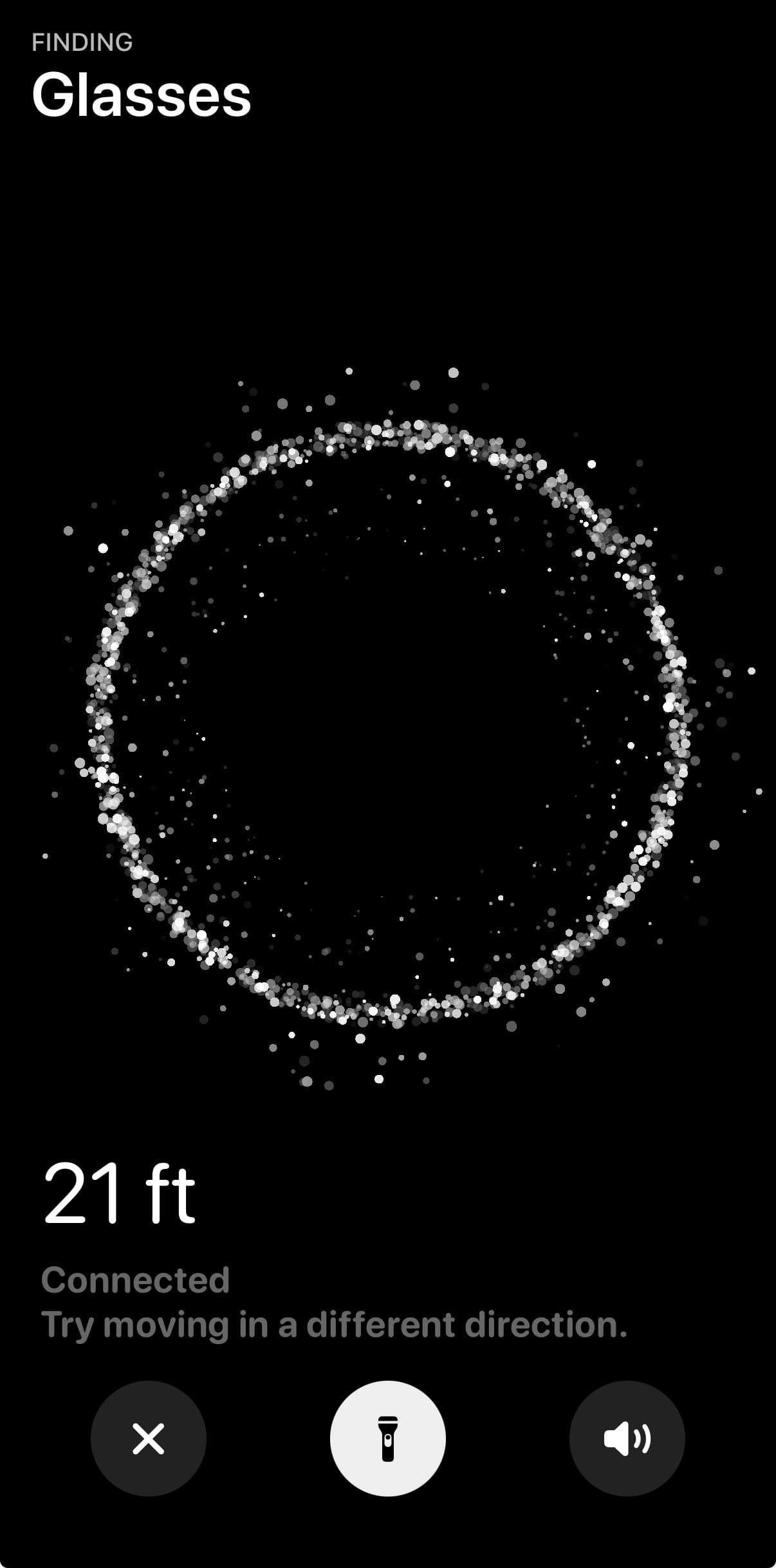
The thing that made the biggest difference for me was the second-generation Ultra Wideband Chip. I had my doubts about the difference it would make, as these kinds of improvements are often hard to see materialized. However, especially between floors, it was much clearer and more precise than the originals, with the new animation cleverly making for a more tactile, easy-to-understand experience than before.
Comparing to the original one, the interface feels more alive and more like it's trying to pinpoint the AirTag, as opposed to just feeling where it could be with the original. It is also important to note that the original AirTag was slightly off in measurements for Precision Finding compared to the second generation (20 feet vs. 26 feet). Often then, the original would give me "far" readings, as opposed to the exact distance, and often the second generation would give the direction in which to go. This also happened on the original, but only much closer up.
The one feature that I could not test in my time with the new AirTag was Precision Finding with Apple Watch. This feature, like on the iPhone models, is a great way to pinpoint AirTag. However, it is only supported on Apple Watch Series 9 or later (excluding SE models). According to CNET, while it is nice once set up, it is a difficult process to even get it setup on Apple Watch. You cannot use this feature in the aptly named "Find Items" app on Apple Watch. Instead, you must add a new control to Control Center called "Find AirTag," and only then can you use Precision Finding. While this is not necessarily that much of a hassle for most people, it is a bit convoluted and unintuitive for most people buying the new AirTag.
When compared to the original AirTag, the AirTag (2nd generation) is a nice upgrade for most people, but definitely not worth specifically swapping out and upgrading for. The new features, while nice, are not groundbreaking. For anyone looking for a new AirTag, they are genuinely useful, especially for $29 ($99 for a 4-pack). But the iteration is nice and useful, maybe just not groundbreaking. We will have to wait and see what Apple does soon.